ChatGPT
 Grok
Grok
 Perplexity AI
ChatGPT
Grok
Perplexity AI
Perplexity AI
ChatGPT
Grok
Perplexity AI
4 min read | By Muhammed Irbaz | 18 September 2026 | Ecommerce
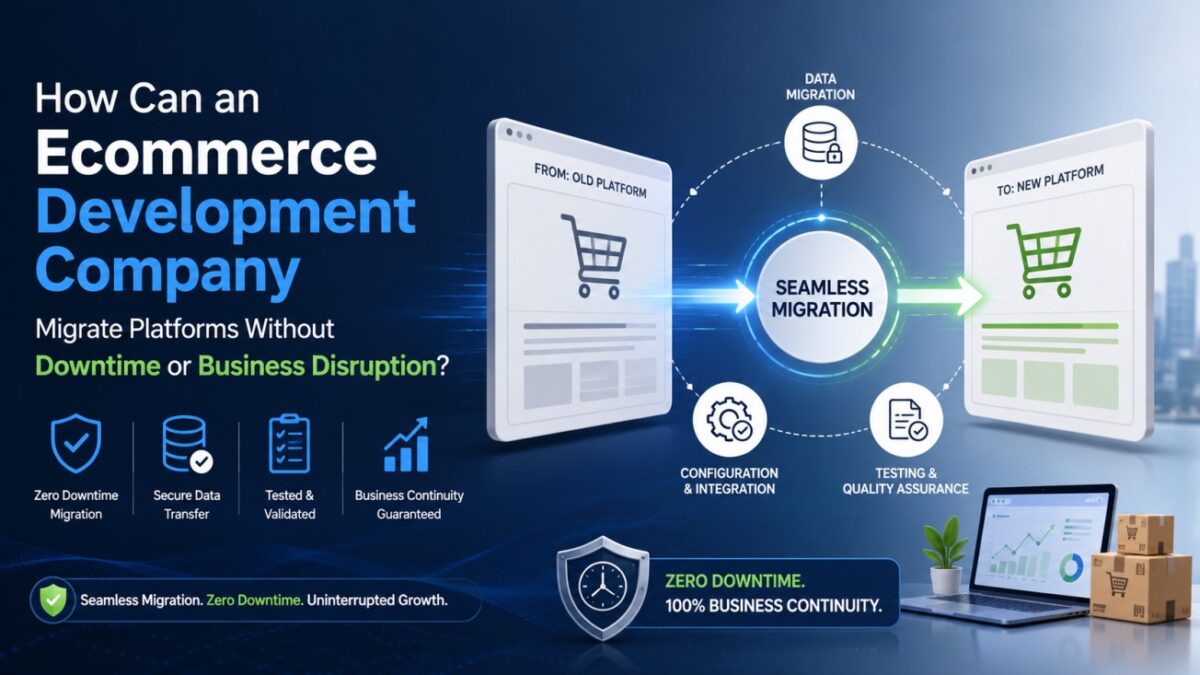
An ecommerce development company avoids downtime by building and testing the new store on a separate staging environment, mapping every connected app and payment gateway beforehand, and switching over during low-traffic hours. Customer data moves through encrypted checkpoints with backups in place, and rollback plans stay ready in case anything breaks post-launch.
There’s no “off” switch business owners can flip while a migration happens. Orders don’t pause, ad campaigns don’t pause, and a customer somewhere is checking out right now; the store has to keep working like nothing’s changing behind the scenes. So the real question an ecommerce development company has to answer is how to rebuild the engine of the plane while it’s still flying.
The answer isn’t glamorous. It comes down to sequencing things correctly and not touching anything live until the replacement has already been proven to work elsewhere. Here’s what that looks like in practice.
● A smooth migration depends on building and testing the new store separately, so the live site stays untouched until launch.
● Third-party apps, payment gateways, and marketing pixels need to be checked individually, since they’re the most common source of post-migration issues.
● Customer data and passwords require extra care, as encryption differences between platforms often mean a reset flow is necessary.
● Migration risk drops significantly when teams plan for rollback, monitor closely after launch, and treat go-live as the start of the process, not the end.
Source: GrandViewResearch
Downtime is avoided by building and testing the new store on a separate staging environment and only switching over once it’s already proven to work. Nobody’s editing the live store mid-project. That’s really the whole secret. The new store gets built and tested somewhere else first, and only goes live once it’s already working.
A typical build tends to go something like this:
Clone what already exists. Products, themes, customer accounts, order history all of it gets copied into a staging environment before anyone touches the real thing.
Rebuild on the new platform. For a Magento-to-Shopify migration, say, the team works entirely from that staging copy, not from the store customers are actually using.
Test it more than once. Checkout, payment gateways, shipping, tax rules these get run through repeatedly, not just clicked once and assumed fine.
Pick the right moment for cutover. DNS changes usually happen at 2 am on a Tuesday, not during a weekend flash sale.
Stay close to it afterward. Logs, load times, and conversion rates get watched for the first day or two after launch, just in case something slipped through.
Handled this way, what people call “downtime” often ends up being a few minutes of DNS catching up, not the hours-long outage everyone worries about going in.
Business disruption is prevented by mapping every connected app, gateway, and pixel in advance, so nothing breaks silently after launch. It’s rarely the storefront that causes problems. It’s the smaller stuff businesses forget is even connected: the loyalty app, the ad pixel, the plugin quietly handling shipping math in the background.
So before anything gets touched, a good team maps out every one of those dependencies first.
| Area | What breaks if it’s ignored | What gets done about it |
|---|---|---|
| Payment gateways | Orders start failing after launch | Every gateway is run through sandbox transactions on staging |
| Third-party apps | Loyalty, reviews, or subscriptions stop syncing | Each app gets checked for compatibility before go-live |
| Marketing pixels | Ad tracking goes blind, budgets get burned | Meta, Google, and email pixels are reinstalled and confirmed |
| URL structure | Search traffic drops overnight | A full redirect map is built from old URLs to new |
| Shipping & tax rules | Customers get charged the wrong amount | Rules are rebuilt manually instead of being trusted to auto-import |
For a WooCommerce-to-Shopify migration in particular, most teams will ask clients to hold off on any non-essential store changes until the project wraps up. It feels overly careful, but fewer things moving at once means fewer things that can go wrong.
Customer and order data stay protected through encrypted transfer, spot-checked records, and a full backup that’s never touched until the new store is confirmed stable. This is the part nobody wants to mess up. Before any transfer starts, a full backup of products, customer records, order history, reviews, the works gets pulled and set aside where nobody’s going to touch it. That copy isn’t used for anything; it just sits there in case something needs to be undone later.
The actual data transfer usually runs through a few checkpoints along the way:
It moves over encrypted, authenticated connections, not as a plain file sitting on someone’s desktop.
Order totals, addresses, and payment statuses get spot-checked against what’s in the original system.
Depending on where the customer base is located, the process also gets checked against relevant privacy rules, GDPR being the obvious one for EU shoppers before customer data goes live anywhere new.
One thing that catches people off guard during a transfer from WooCommerce to Shopify job: passwords usually can’t just be carried over, since the two platforms encrypt them differently under the hood. Teams who’ve dealt with this before build in a password-reset flow ahead of time so customers aren’t locked out the moment the new store goes live.
A smooth migration comes down to sequencing planning, testing, and communicating with the team in that order, without skipping steps to save time. A lot of it comes down to doing things in the right order: plan, then build, then test, then talk to people, rather than disappearing until launch day and hoping for the best.
A few habits that tend to separate the smooth projects from the messy ones:
Give the timeline room to breathe. Rushed migrations are where mistakes usually creep in.
Bring the client’s support team into the loop early, so they’re not blindsided by questions the day after launch. Actually test on phones, not just a laptop browser. Mobile checkout tends to fall apart in ways desktop testing completely misses something an ecommerce mobile app development company deals with constantly on the app side.
Carry SEO groundwork over on purpose: meta titles, structured data, redirects instead of hoping an auto-import tool handles it correctly.
Keep a way to roll back. If something critical breaks post-launch, DNS should be able to point back to the old store within minutes, not hours.
None of this is complicated, exactly. It’s mostly patience and attention to detail applied to a technical job which, honestly, is what a business is really paying for when they bring in outside help instead of trying a shopify migration on their own.
Risk is reduced by testing everything twice: once on staging before launch, and again right after go-live, so issues get caught before customers notice. Even with careful planning, there’s risk built into moving this many systems at once during ecommerce site development. The teams who handle it well tend to build in extra checks rather than trusting a single test pass to catch everything.
A few things that help keep the risk down:
Running the old and new stores side by side briefly before shutting the original down for good
Load-testing the new store ahead of any planned sale or marketing push
Having one person specifically watching orders during the first few days after launch
Keeping support channels open for customers who notice login or password changes
Documenting each step taken, so if something does go wrong later, it’s easy to trace back to where
A solid ecommerce app development company doesn’t treat migration like a single event that ends at launch. It’s closer to a rollout that gets monitored for weeks not really “done” until a full sales cycle has gone by without a problem.
Downtime and disruption during a migration usually aren’t bad luck they’re what happens when a step gets rushed or skipped somewhere along the way. Stores that treat the move as a staged project, rather than a weekend scramble, tend to come out faster, better organized, and without much of a dent in sales.
Whether it’s a straightforward WooCommerce to Shopify migration or something more involved, the businesses that get through it cleanly are almost always the ones that brought in an ecommerce development company to map out every dependency before touching anything that was actually live.
Timelines vary depending on store size and complexity, but most projects handled by an ecommerce development company take two to six weeks. Larger catalogs with custom integrations naturally extend the process.
It becomes manageable when handled by an experienced team that maps out apps, themes, and data before starting. Most disruption comes from skipped planning, not the platform switch itself.
Rankings can dip temporarily if redirects and metadata aren’t carried over correctly. A careful migration preserves URL structure and search equity so recovery is quick.
Customer profiles and order history usually transfer, though passwords often can’t move directly due to encryption differences. A reset flow is typically set up so shoppers aren’t locked out.
Many teams manage both sides together, since app checkout flows and mobile UX need testing alongside the web store. This keeps the customer experience consistent across devices.
Smaller stores usually see a faster process, since there are fewer products, apps, and integrations to migrate. The core steps backup, rebuild, test, and cutover still apply on a smaller scale.
Join over 150,000+ subscribers who get our best digital insights, strategies and tips delivered straight to their inbox.